
How to Filter Terms & Conditions Update Emails in Gmail
I hate spam. But even more, I hate emails that look legitimate yet add zero value — the kind you glance at, realize it's just another "We updated our Terms of Service" notification, and delete.
I'm registered on 1000+ websites accumulated over 15+ years. Even if each sends one Terms & Conditions update per year, that's roughly 3 emails per day. Every single day. Three more distractions pulling me out of flow.
Can I unsubscribe? From some, sure. But many of these are legally mandatory — GDPR Article 13 and similar regulations require companies to notify you about policy changes. So they keep coming, and there's nothing you can do about it on the sender's end.
Let's be real — nobody reads Terms & Conditions updates. And I don't care about them unless something directly affects me, which is maybe 1% of cases.
So I built a Gmail filter that catches them all.
The Gmail Filter
The approach is simple: Gmail lets you filter emails by subject line using OR operators. I created a filter with 40+ terms that cover common T&C update phrases in both English and Polish (which is a local language to me right now - you can cut it).
Here's the full filter string:
▶Full filter string (click to copy from the code block)
"Terms Update" OR "Updated Terms" OR "New Terms" OR "Policy Update" OR "terms of use" OR "Terms & Conditions" OR "zmianach Regulaminu" OR "Zmiana Regulaminu" OR "Aktualizacja Regulaminu" OR "Zmiana w Regulaminie" OR "Zmianie Regulaminu" OR "Nowy Regulamin" OR "Nowy regulamin" OR "Zmiana zasad" OR "Aktualizacja zasad" OR "Zmiana polityki prywatności" OR "Aktualizacja polityki prywatności" OR "Nowa Polityka Prywatności" OR "Zmiana warunków" OR "Zmiana umowy" OR "Aktualizacja umowy" OR "Zmiana warunków świadczenia usług" OR "Zmiana ogólnych warunków" OR "Zmiana OWU" OR "Zmiana TOU" OR "Zmiana T&C" OR "Zmiana Terms" OR "Zmiana Terms and Conditions" OR "Change of Terms" OR "Privacy Policy Update" OR "Change in Terms" OR "Change to Terms" OR "Change of Privacy Policy" OR "Updated Privacy Policy" OR "New Privacy Policy" OR "Update to our Terms" OR "Update to Terms and Conditions" OR "Update to Privacy Policy" OR "Change of Regulations" OR "Regulations Update" OR "Aktualizacja regulaminów" OR "Terms of Service" OR "Zmiany w regulaminach" OR "Changes to Terms" OR "Zmiany w Regulaminie" OR "Zmieniamy regulamin"The filter matches subject lines containing any of these phrases. Each phrase is wrapped in quotes so Gmail matches the exact multi-word expression, and they're joined with OR so any single match triggers the filter.
Setting Up the Filter
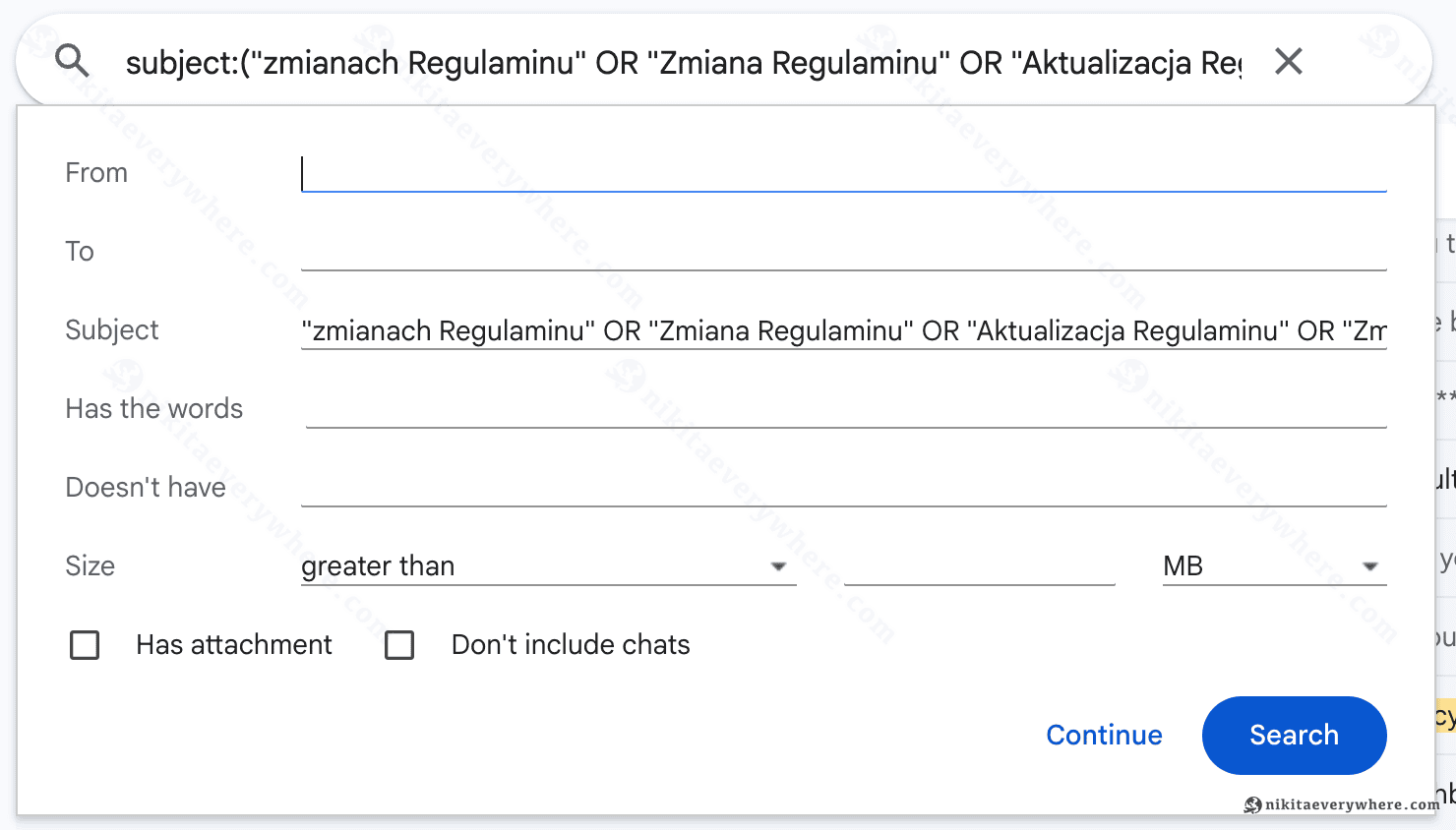
1. Open Gmail's advanced search. Click the filter icon in Gmail's search bar to open the search options dialog. Paste the entire filter string into the Subject field:
2. Create the filter. Click "Create filter" at the bottom of the search dialog. Select these actions:
- Skip the Inbox (Archive it) — removes it from your main view
- Mark as read — no unread badge distractions
- Categorize as: Updates — keeps them accessible in the Updates tab if you ever need them
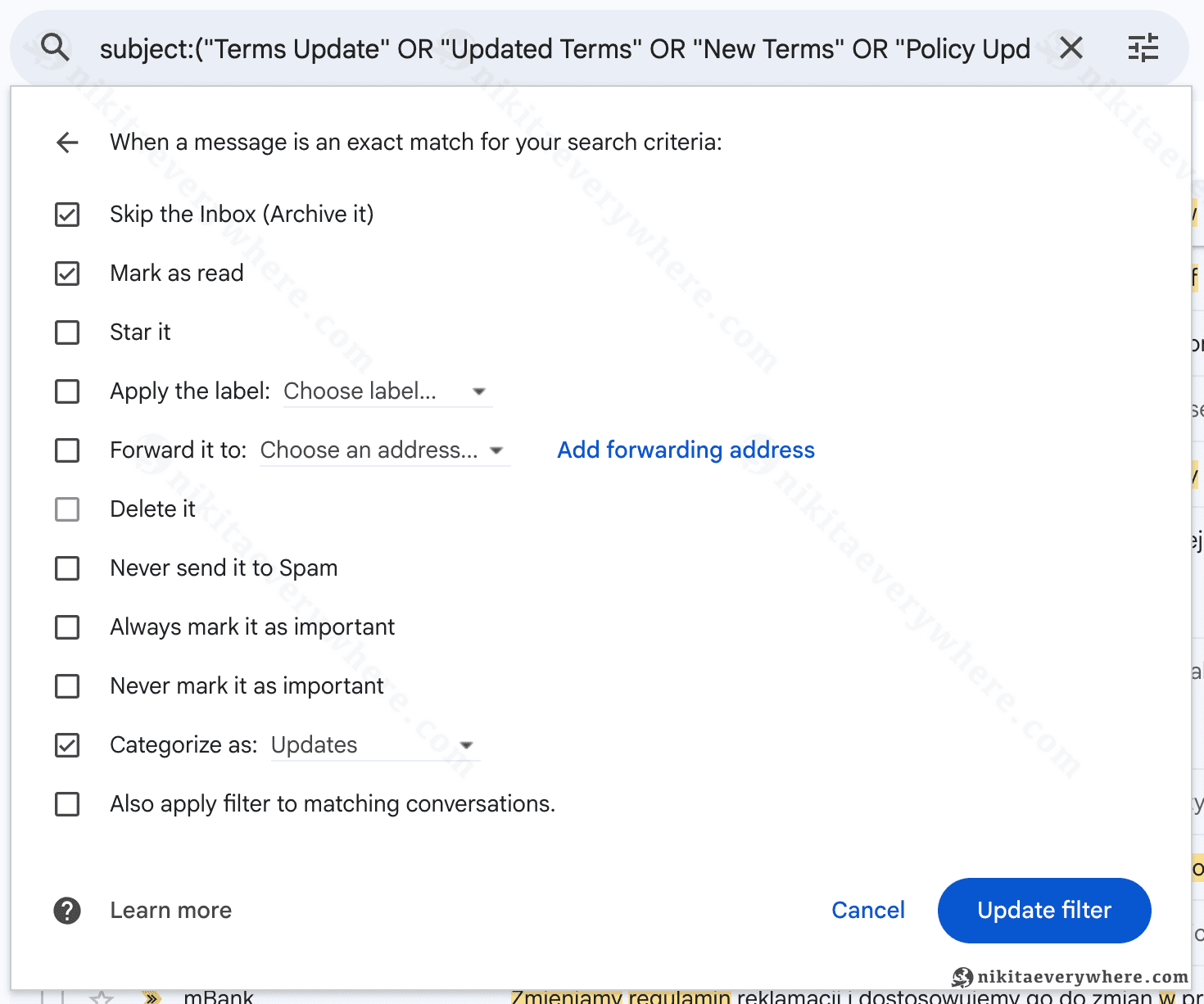
Check "Also apply filter to matching conversations" to retroactively clean up existing T&C emails already in your inbox. This saved me from hundreds of old ones sitting there.
3. Confirm. Review the filter summary and click "Create filter":
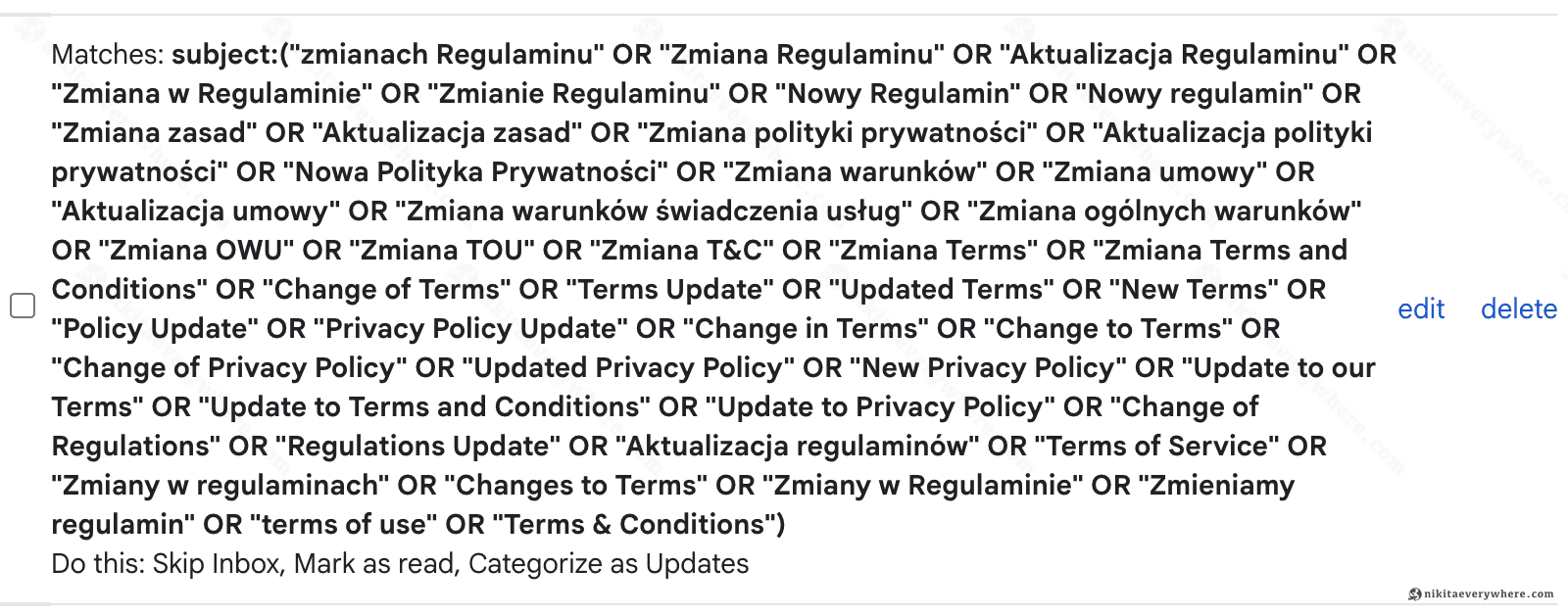
That's it. Gmail's filter documentation covers more options if you want to tweak the behavior further.
Keeping It Updated
The filter won't catch every possible variation from day one. When a new T&C email sneaks through — and it will — just edit the filter in Gmail Settings → Filters and add the new subject phrase. I've been iterating on mine for months, and the list above is the result.
This won't catch 100% of T&C emails — some have unique subject lines like "Important changes to your account" that would be too broad to filter. But it handles the vast majority. Combined with other Gmail productivity tricks like automating calendar syncing, my inbox is a lot quieter now.
How do you manage your inbox filtering? I'm curious what other filters people use — share yours in comments!