
BIGBOARD.GAMES: Push Your Phones Together, Play One Game
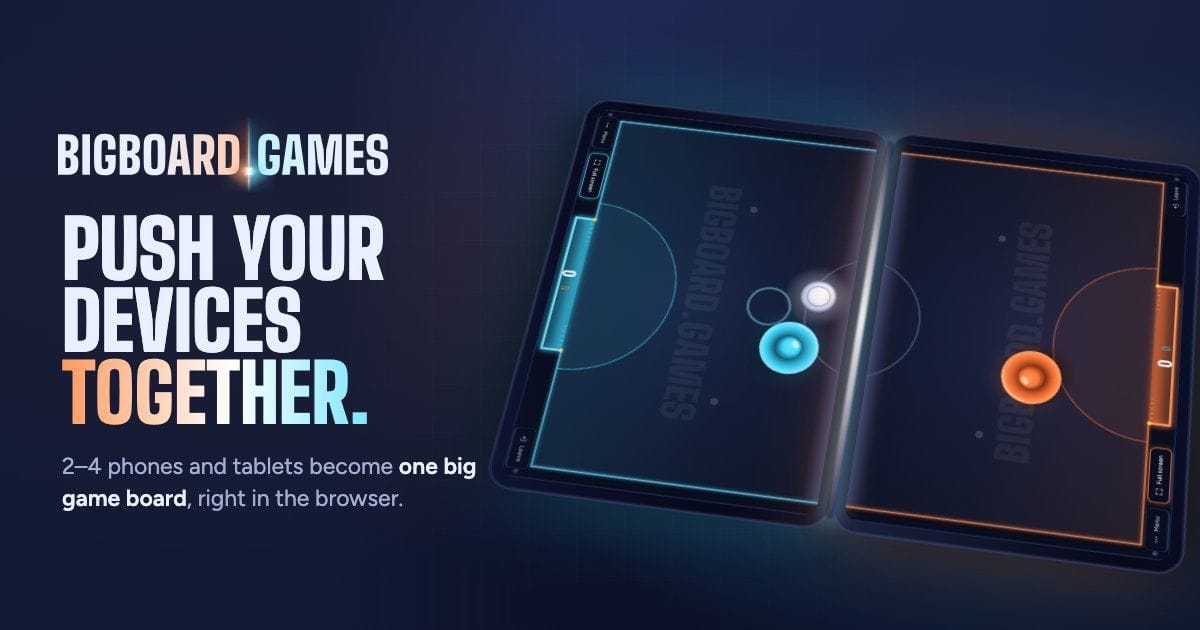
Put two phones side by side on a table and hit the puck on one of them. It slides to the edge, disappears under the bezels for a split second, and comes out on the other phone — right where it should, at the same speed. That's BIGBOARD.GAMES: a collection of free multiplayer browser games where 2–4 phones or tablets, pushed together, become one big game board. It went live yesterday with four games for devices on one table, and it's heading toward games you can play apart, too.
I've been making games since I was 12: hundreds of Warcraft III mini games, Ballzirum in GameMaker, a slide puzzle packed into a mobile app with PhoneGap. None of them went public: I didn't know what marketing was, and I had no plans to share them anyway. Still, over 30 of those games and projects that were at least playable went into my CV, and that's what got me noticed for my first job at InterSystems. So, worth it :) BIGBOARD.GAMES is the first game I've actually put out for anyone to play.
This is what it looks like:
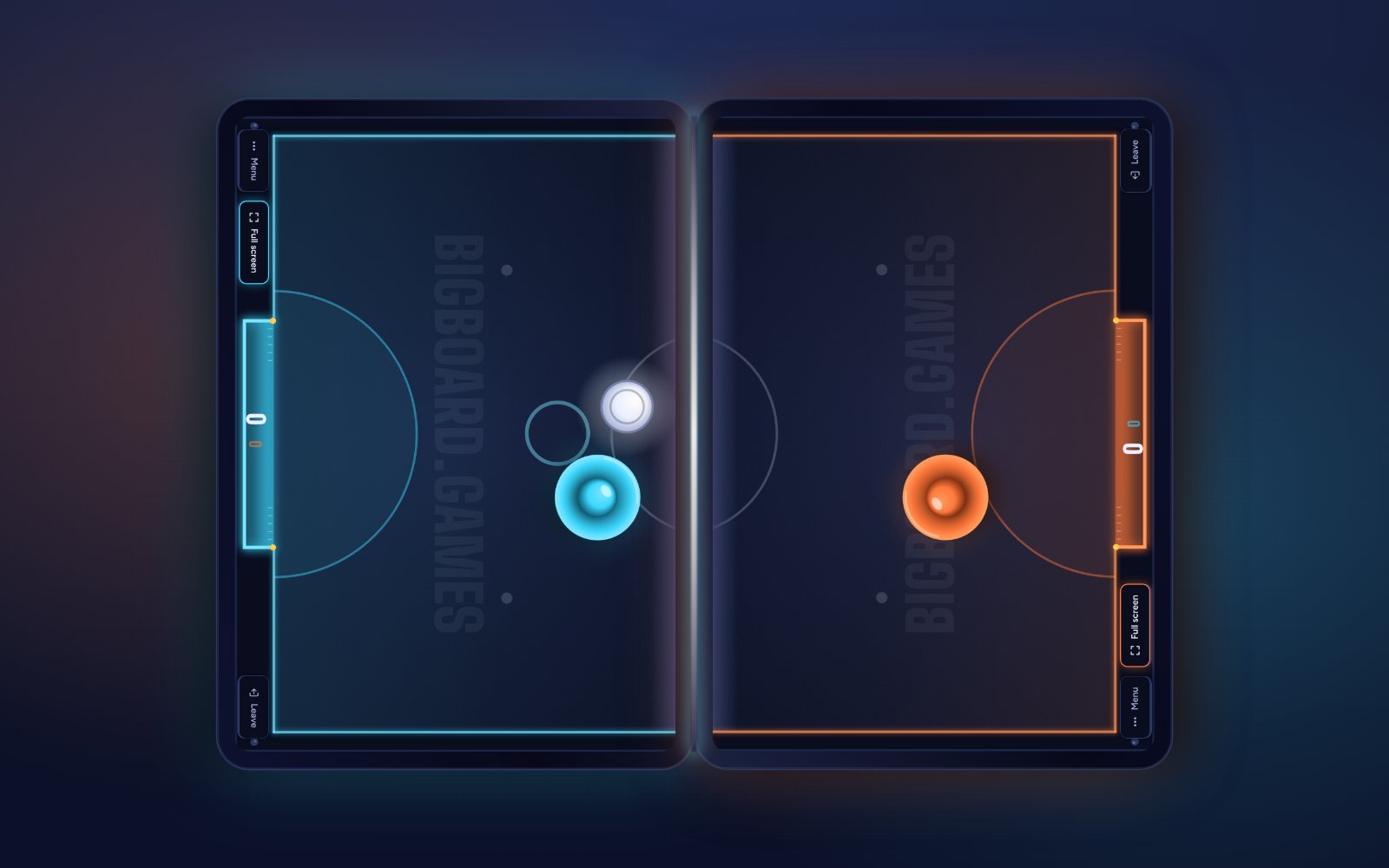
Try it now: open bigboard.games on two devices and tap Start a table on one. On the same Wi-Fi, the other one finds the table by itself. Then push them together.
How to play one game across several phones
- Nothing to install. Open bigboard.games in any browser: Safari, Chrome, even the one inside TikTok.
- Any mix of devices. iPhones and Androids, phones and tablets, up to 4 at one table.
- Joining is quick. On the same Wi-Fi, devices find each other and join by themselves. Otherwise, scan a QR code or type a four-letter code. On mobile data, a secure relay connects them.
- In three languages: English, Ukrainian and Spanish.
- Free to play, with no sign-up needed to start a table.
Four games at launch
- Seam Hockey: air hockey across phones and tablets. Duels on two devices, teams or free-for-all on three or four, and five arenas: Classic, Bumpers, Ice, Heavy and Mines.
- Spillover: draw shapes on the grid and drop them on your opponent's side. Don't fill up.
- Whack-a-Mole: bop the moles before they hide — head to head, as a team, or against the clock.
- Islands: the classic paper game of dots, known as «Точки» in Ukraine and Kropki here in Poland. Ring your opponent's dots to capture an island, either on mirrored boards or on one sheet that runs across both devices.
All four also work on a single device, in case only one phone is charged :)
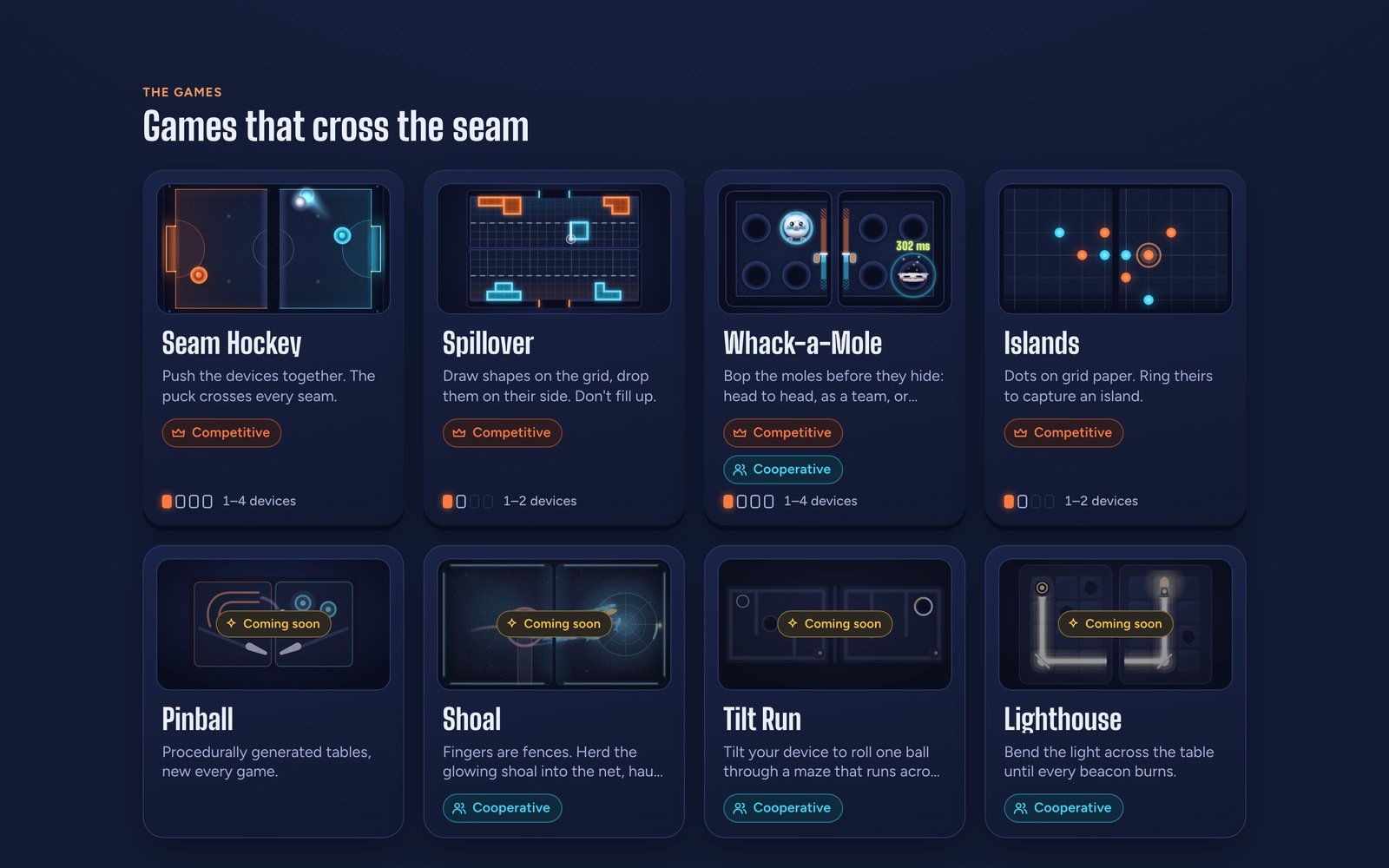
Three more are built and waiting their turn: Tilt Run, where you tilt your device to roll one ball through a maze that runs across every screen; Shoal, where fingers are fences and you herd a glowing shoal into a net together; and Lighthouse, where you bend the light across the table until every beacon burns.
From two tablets to any phone
Same-room games are close to my heart: for almost two years, I ran board game evenings in Krakow with close to 30 people around the tables.
BIGBOARD.GAMES started on September 26 as a prototype with a very literal first commit: "shared platform for two-tablet games". On October 2 I played it with friends. My notes from that evening: "We really enjoyed hockey and spillover, and whack a mole and somewhat island was interesting". Those four became the launch lineup.
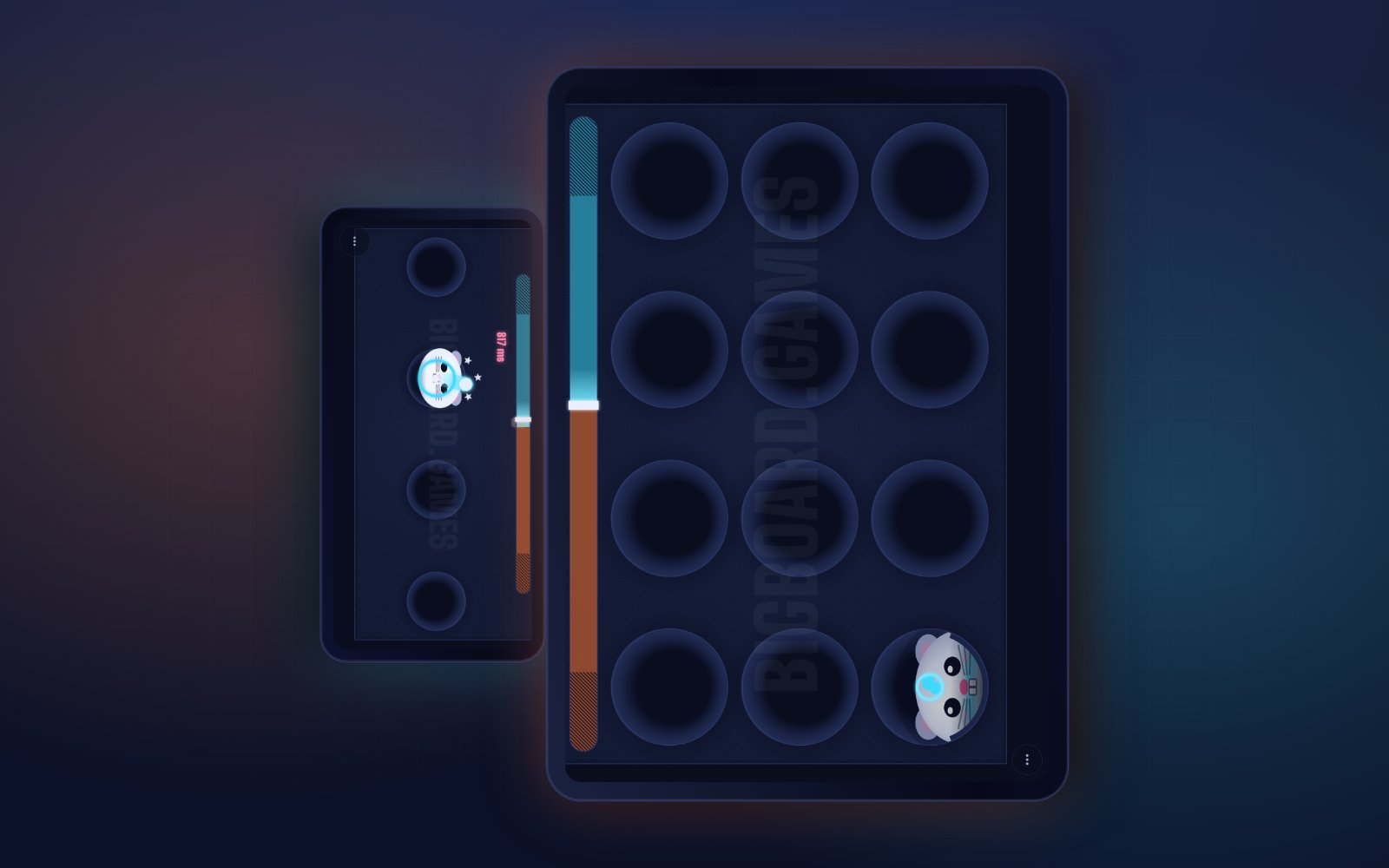
The most useful feedback wasn't about the games, though. It was this: people don't own two tablets — everyone owns a phone. So the product went phone first. Any device can sit next to any other, and the board adapts:
The idea of joining screens isn't new. Google showed Racer at I/O 2013, a slot car track across five phones and tablets, and Swip.js joined screens with a pinch in 2016. Both were brilliant demos. I wanted games people come back to, on whatever devices happen to be on the table.
Multiplayer games to play together or apart
The shared screen is the hook, but BIGBOARD.GAMES is a collection of multiplayer games, and one table is just where it starts. The games already adapt to how many devices join and how big their screens are. Next, they'll adapt to where the players are: modes for friends in different cities, or a team-building round for colleagues across an office. The plumbing is ready: a four-letter code and the relay already connect devices that aren't on the same Wi-Fi. Today's four games are still built around one table, though — playing apart is where it's heading, not what's live.
Making two screens feel like one board
The hard part is the seam. Two phones have different screen sizes, different pixel densities, different bezels, and usually a case. Stitch their screens pixel to pixel, and the puck jumps across the gap, comes out off its line, and changes size on the second phone.
So every device works out its screen size in real millimetres: from a device profile, from Android model hints, or by calibration — you hold a bank card against the screen, since every bank card is the same ID-1 size, 85.60 × 53.98 mm. It also adds its bezels, plus 3 mm for each case. The game world is laid out in millimetres of the real table, gaps included:
The board is measured in millimetres of table, not in pixels. Think of a window with a frame in the middle: a car driving past doesn't jump when it passes behind the frame. The puck doesn't either.
The scale adapts to the table, too. When any device is bigger than a phone, games play at real size; among phones only, at half size; and never below what a game needs to stay comfortable. If a game can't fit, it says which device needs a bigger screen.
One known limit: when the browser shows its toolbars, a seam along the toolbar's edge comes out short by the toolbar's height. Browsers don't make that one easy.
Tell the game how the devices lie
Before each match, every device shows the same map of the table, each from its own side. Players drag and rotate the boxes until the map matches how the devices actually lie:
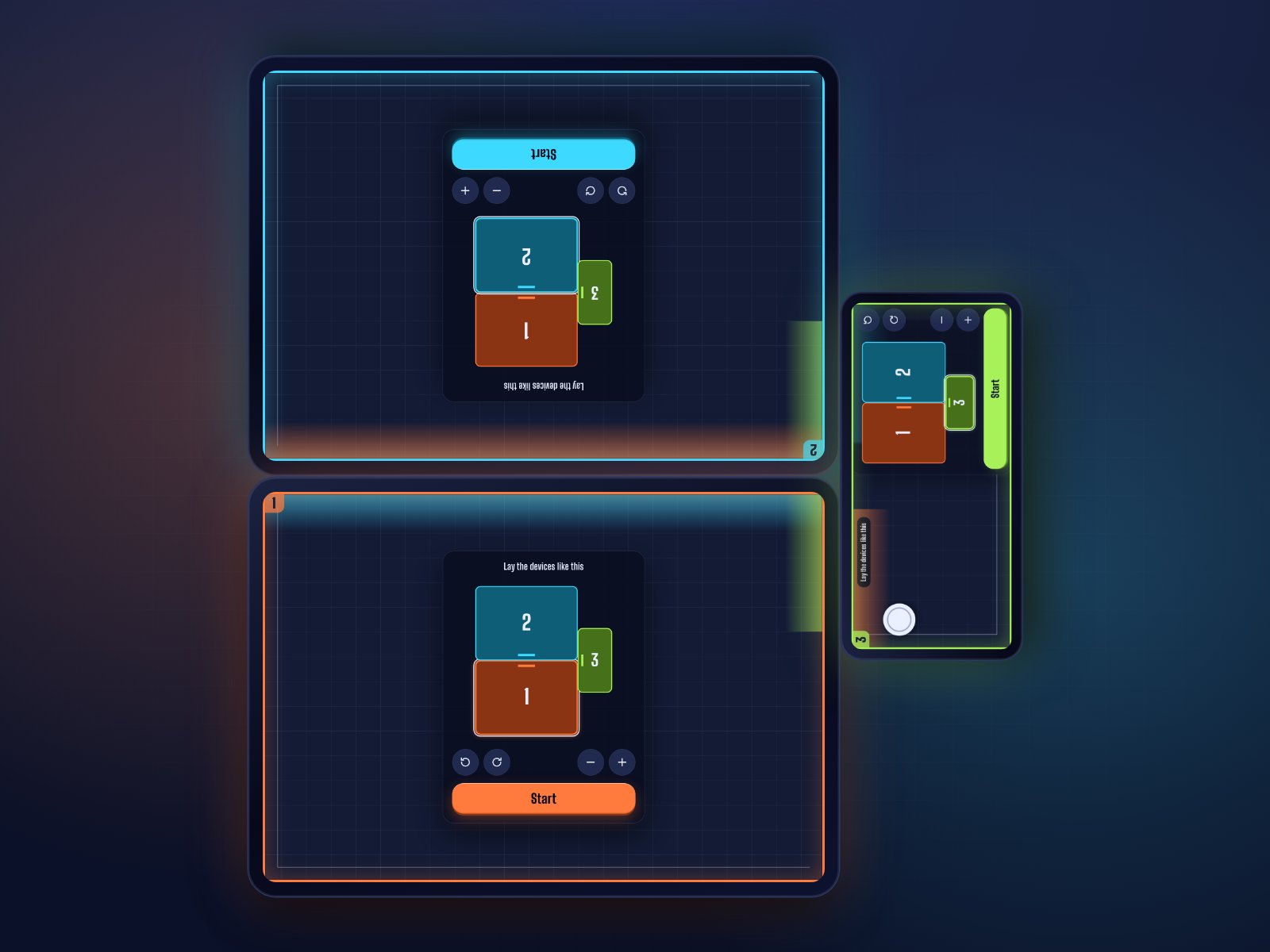
Everyone can edit at once. Each edit is a tiny last-writer-wins change, and grabbing a box holds it for 3 seconds, so two people don't fight over the same one. Start confirms the layout and begins the countdown. Turning a device before the match begins calls it off and reopens the editor — a board that no longer matches the table is worse than a short wait.
Gameplay never touches my servers
Every game message goes device to device over WebRTC data channels: over the local network when possible, and through a Cloudflare TURN relay only when there's no direct path, like on mobile data.
The server side is one Cloudflare Worker with two Durable Objects: one per table for seats, the game pick, the countdown, connection setup and results, and one for presence, so devices on the same Wi-Fi can find each other. I build on Cloudflare by default, and this project is a good example of why.
Keeping game traffic off the server keeps latency low, and it also keeps the bill tiny. An early version pinged the table's Durable Object every 2 seconds, so it never slept. Now, during a healthy match, each device closes its table connection and the object hibernates. I measured it with headless devices: about 916 Durable Object requests per device-hour in a match before, 0 after. My estimate is about $5 a month at 1,000 device sessions a day, which is the price of the Workers Paid plan anyway. Real traffic will tell how close that is.
A few more things that make it feel like one board:
- Seam Hockey hands the puck over. The device holding the puck simulates it and streams it to the others. Ownership passes when the puck crosses a seam or gets stolen, and the hand-off hides network latency right at the seam.
- Spillover runs in lockstep. Both devices simulate the same Rapier physics world. For that, the math has to match bit for bit, so a custom sine and cosine uses only addition, subtraction, multiplication and rounding, and gives identical results in Safari's JavaScriptCore and Chrome's V8.
- Clocks agree. Devices sync their clocks the way NTP does, to within about 1 ms on a local connection, so every countdown ends at the same moment.
- Updates never interrupt a match. A table seats the current version and the previous one, and an update waits for a quiet moment.
Ten days from prototype to production, with AI agents
The first prototype commit was on September 26. The first production deploy was on October 5. As I write this, the production repository has 344 commits, and 337 of them were co-authored with Claude Code — 233 on October 5 alone.
That's about 140,000 lines of TypeScript and 51,000 lines of tests. The tests run one browser per device, and a seeded network simulator replays Seam Hockey's seam crossings over Wi-Fi, relay and cellular profiles: 200 seeded runs of every scenario, about 1,150 seam crossings per profile. Without that, I wouldn't trust a puck to cross a seam on hotel Wi-Fi.
My job was the one I described in How to Software Engineer in the AI Era: decide what to build, write it down as GitHub issues and rules for the agents, then judge what comes back. Building a multiplayer game in ten days still meant a lot of judging.
Protected by AfterPack
Last week I launched AfterPack, a JavaScript obfuscator, and BIGBOARD.GAMES ships through it. In a peer-to-peer game, there's no server acting as a referee: the code on the players' devices runs the match, so a patched client is a cheat.
The production build goes through AfterPack's Vite plugin, and the deploy script runs npx afterpack verify dist before anything ships. If the protection receipt is missing, belongs to another build, or a file changed after obfuscation, the deploy stops.
I left third-party libraries and plain data unobfuscated on purpose. Obfuscated, the QR code encoder tripled to about 25 KB gzipped, and the language files grew about 10× — weight that protects nothing worth protecting. Open DevTools on bigboard.games and have a look :)
Try it at your next game night
Next up are Tilt Run, Shoal, Lighthouse, a pinball table, then the first modes to play apart. Before that, I'd love to see how the first four do at real tables, on real phones.
If you're in a room with friends and phones tonight, open bigboard.games, push them together, and tell me in the comments which game won the table. And if you liked it, sharing it with a friend is the best way to help :)