
Why You Should Build on Cloudflare by Default
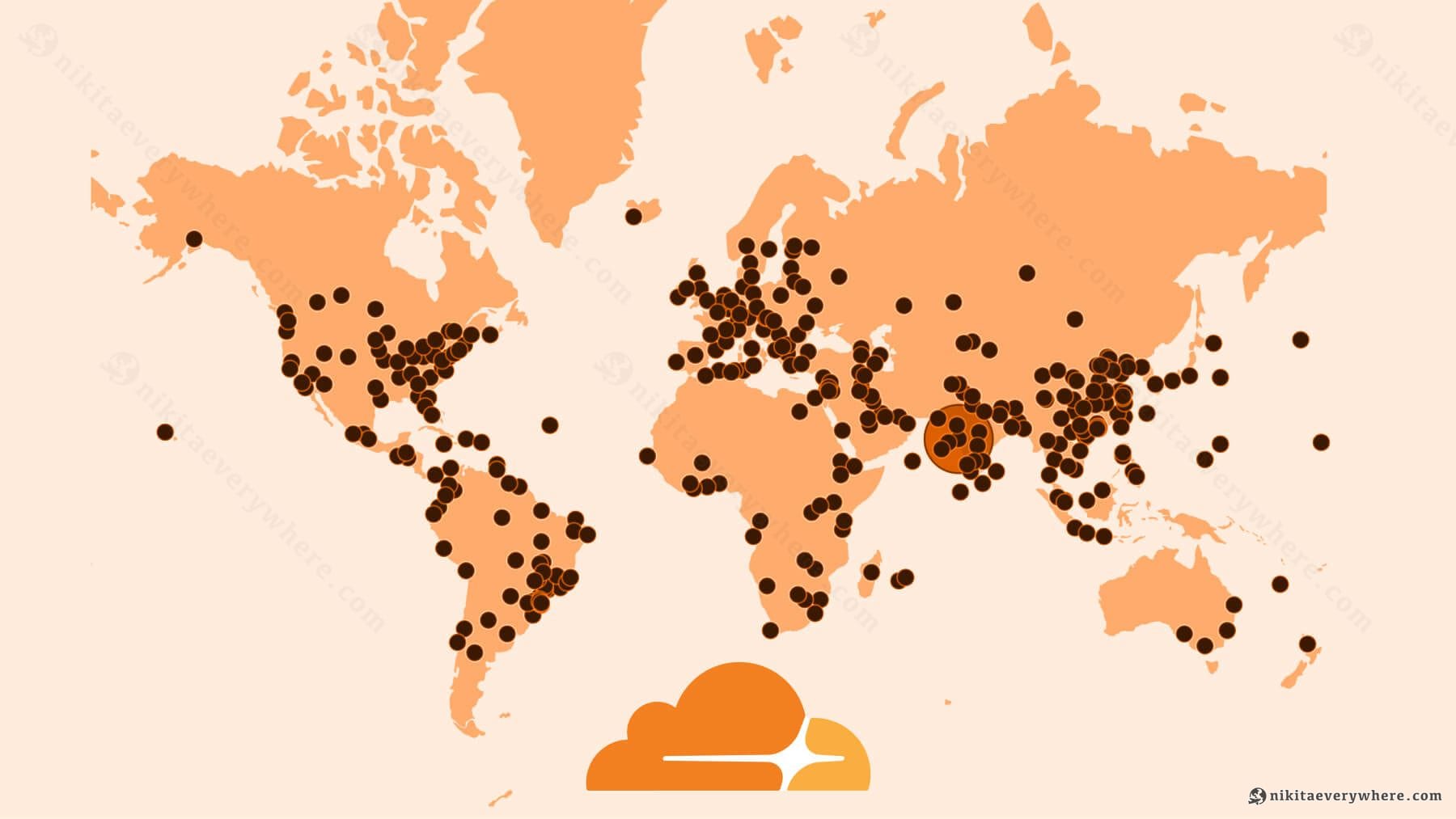
For the past five years, Cloudflare has been my default infrastructure choice for nearly everything I build. I might be biased, but I genuinely believe Cloudflare gives you the most flexible, robust, easy-to-build, low-maintenance infrastructure — for FREE, until you finally make it.
When DataUnlocker suddenly had to handle 50 million proxy requests per day after a major customer onboarded, I wasn't scrambling. No emergency scaling. No infrastructure panic. The traffic spiked, and Cloudflare just absorbed it like nothing happened.
If you're still defaulting to AWS, Google Cloud, Vercel, or Azure without considering Cloudflare first — you're missing out. Seriously. The developer experience, the pricing model, and the global architecture are in a different league.
Here are 5 facts about Cloudflare you can't ignore. Even if just two or three resonate with you, that should be enough to give it a serious look.
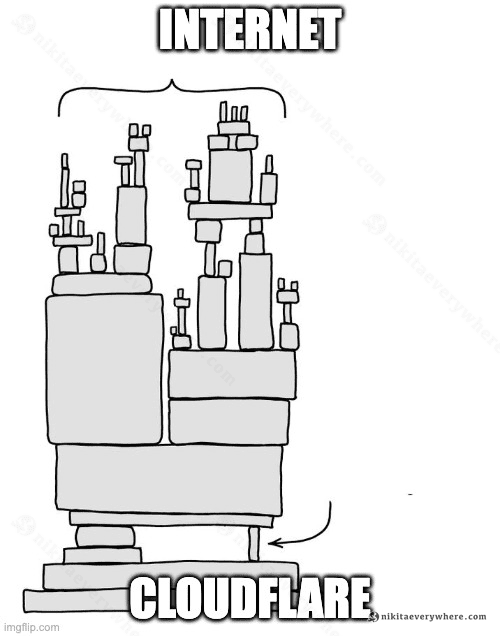
P.S. Yes, Cloudflare goes down sometimes. You hear about it because half the internet uses them — not because they're unreliable ☝️
1. A Free Tier No One Else Can Offer
Most cloud providers offer free tiers as glorified demos — useful for tutorials, useless for anything long-running for free. Cloudflare is different. You can run a legitimate product on their free tier until you have your first thousand customers.
Here's what you get for $0:
- CDN & DDoS Protection — unlimited bandwidth, always free
- Workers — 100,000 requests/day
- Pages — Unlimited static site traffic (yes, UNLIMITED)
- D1 — 5GB storage, 25 million reads/day
- R2 — ~10GB storage, zero egress fees
- KV — 1GB storage for key-value data
- Zero Trust — free, no user limit
- Much more in other products, enough to just start shipping.
No credit card required. No surprise bills after a traffic spike — you control how to bill it.
Compare this to AWS, Google Cloud, or Azure, where "free tier" usually means "free until we charge you for data transfer" or "free for 12 months, then a surprise bill."
Fun fact: R2's zero egress pricing alone saves significant money at scale. AWS S3 charges ~$90 per TB of egress. Serve a few terabytes of images per month and you're looking at real money. R2? Still zero.
What About Google Cloud?
Google Cloud's free tier gives you one e2-micro VM, 30GB disk, and a handful of services — restricted to US regions. However the bright spot in GCP is Cloud Run — I worked on its UI at Google — with 180,000 vCPU-seconds, 360,000 GiB-seconds, and 2 million requests/month, FREE. This is the closest to Cloudflare in terms of a generous free tier offering.
But Cloud Run alone doesn't make an architecture. You'll need Cloud SQL, Pub/Sub, Cloud Storage — services with far less generous free tiers. Cloudflare gives you compute, database, storage, queues, and KV all with meaningful free limits.
And the cold start difference matters: Cloud Run containers take 1–3 seconds even with startup boost. Workers start in under 5 milliseconds. For latency-sensitive apps, that's a different world.
Cloudflare Containers: The Cloud Run Competitor
As of 2025, Cloudflare launched Containers in public beta — their direct answer to Cloud Run. You can now run full Docker containers orchestrated by Workers, with any language or runtime.
Instance types range from lite (1/16 vCPU, 256 MiB) to standard-4 (4 vCPU, 12 GiB memory, 20 GB disk). Pricing follows the same philosophy: scale-to-zero with 10ms billing granularity. The $5/month Workers Paid plan includes 25 GiB-hours of memory and 375 vCPU-minutes — enough for light container workloads.
The difference? Your Worker code orchestrates containers programmatically. No YAML manifests, no separate container registry setup. Deploy with wrangler deploy and your containers spin up on-demand, controlled by JavaScript.
2. The Global Compute CDN
When people hear "CDN," they think of cached static files. Cloudflare goes further — your code runs at the edge, in 300+ cities worldwide.
Traditional serverless (Lambda, Cloud Functions, Cloud Run) runs in a region. A user in Singapore hitting your US-East function adds 200–300ms of latency before your code even starts. With Workers, the code executes at the data center closest to the user.
But the real magic is zero cold starts.
Lambda and similar services spin up containers on demand. That first request can take 100–500ms just for the container to wake up. Workers use V8 isolates — the same technology that runs JavaScript in Chrome. An isolate starts in under 5 milliseconds.
The practical result: AfterPack's Pro JavaScript Obfuscation API feels instant regardless of where users are located. No warming strategies. No provisioned concurrency costs. Just fast by default. And this is given AfterPack is a small Rust binary running on Cloudflare Workers.
3. Simplicity That Scales
Here's what deploying a new API looks like:
1# From zero to globally deployed in 3 commands2npm create cloudflare@latest my-api3cd my-api4npx wrangler deployThat's it. Your code is now running in 300+ locations worldwide. No IAM policies. No VPC configuration. No subnet planning. No Kubernetes manifests.
Push to GitHub and it deploys automatically. Need a preview environment? Every PR gets one. Want to roll back? One click.
I've set up Google Cloud & Digital Ocean infrastructure for production systems. I've written configs, fought with IAM permission boundaries, debugged Kubernetes, and spent days on trying to configure or update Cert Manager through its lifecycle. It works, but the complexity tax is real.
Complexity is not a feature — it's a cost. Every hour spent on infrastructure is an hour not spent on the actual product.
Cloudflare's Wrangler CLI and dashboard assume you want to ship software, not become a cloud architect. For most projects, that's exactly right — you can add complexity later on.
4. The Complete Service Ecosystem
What started as a CDN has become a genuine full-stack platform. Here's what's available:
Workers — Serverless Compute
The foundation. Write in JavaScript, TypeScript, Rust, or Python. Workers have a 10MB size limit (paid plan), 30 seconds of standard CPU time, and up to 5 minutes with extended timeouts.
1export default {2 async fetch(request: Request, env: Env): Promise<Response> {3 const url = new URL(request.url);4 5 if (url.pathname === "/api/users") {6 const { results } = await env.DB.prepare(7 "SELECT id, name FROM users LIMIT 10"8 ).all();9 return Response.json(results);10 }11 12 return new Response("Not found", { status: 404 });13 },14};D1 — SQLite at the Edge
D1 launched in 2022 and brought something genuinely new: a relational database that runs at the edge. It's SQLite under the hood, replicated globally.
For most applications, D1 is enough. You get familiar SQL, proper transactions, and sub-millisecond reads from the nearest replica.
R2 — S3-Compatible Storage
R2 is S3-compatible with one killer difference: zero egress fees. Store files, serve them globally, pay only for storage and operations.
If you're building anything with significant file serving — image hosting, video delivery, software downloads — the economics are dramatically better than AWS.
KV — Global Key-Value Store
KV is eventually consistent key-value storage. Great for configuration, feature flags, session data, and caching. Reads are fast from anywhere; writes propagate globally within about 60 seconds.
Queues — Async Message Processing
Queues handle background jobs and async processing. Push messages from one Worker, consume them in another.
1// Producer: send work to the queue2await env.MY_QUEUE.send({3 userId: 123,4 action: "process_upload",5 fileKey: "uploads/image.png",6});7 8// Consumer: process messages in batches9export default {10 async queue(batch: MessageBatch<QueueMessage>, env: Env): Promise<void> {11 for (const message of batch.messages) {12 await processJob(message.body, env);13 message.ack();14 }15 },16};Durable Objects — Stateful Edge Computing
Durable Objects are the advanced tool — stateful actors that live at the edge. Use them for real-time collaboration, game servers, rate limiting, or anything needing consistent state.
5. Cloudflare Catches Up Fast
The AI wave hit, and Cloudflare responded quickly:
- Workers AI — Run inference at the edge with popular models
- AI Gateway — Route between AI providers with caching and rate limiting
- Vectorize — Vector database for embeddings and similarity search
- Containers — Run Docker images orchestrated by Workers (public beta)
- MCP Integration — Model Context Protocol support for AI agents
They ship features within weeks of trends emerging. Not everything lands perfectly, but the velocity is impressive lately.
I've been with Cloudflare since the early days of DataUnlocker around 2020 — and honestly, I wouldn't have written this article a few years ago. Today, unlike before, they have a complete product set that lets you just ship products of any complexity.
Architecture Patterns in Practice
Here's where Cloudflare really shines compared to traditional infrastructure. Let me walk through common patterns and show how much simpler they become.
API Gateway Pattern
In Kubernetes, building an API gateway means: ingress controller, TLS certificates, load balancer configuration, service definitions, deployment manifests, and probably Helm charts to tie it all together. You need to pick a region, think about failover, and hope your YAML indentation is correct.
On Cloudflare? You write a Worker.
User → Worker (auth, routing, validation) → D1 / External APIThe flexibility is yours to decide. You can:
- Single Worker — If your API is small (fits in 10MB), one Worker handles everything. Deploy with
npx wrangler deployand you're done. - Split by domain — Group related endpoints into separate Workers. Auth in one, billing in another, core API in a third.
- 1000 endpoints = 1000 Workers — Each API route gets its own Worker. Share common code via packages, deploy independently. Useful for large teams where different groups own different endpoints.
The point is: Cloudflare doesn't tell you how to architect. You're not fighting the platform — you choose the structure that fits your team and codebase.
Static + API Pattern
Pages (Next.js/React/Vue/Svelte) → Worker API → D1 + R2Pages hosts the frontend with automatic builds from Git. Workers handle the API. D1 for structured data, R2 for files. This covers 90% of web applications.
Next.js deserves special mention — it's the frontend framework for most serious web apps now, and Cloudflare supports it well. App Router, Pages Router, SSG, SSR, ISR, Server Components, Server Actions — all work. I use Next.js with static export on Cloudflare Pages for this very site, and it's seamless. The only limitation is Node.js in Middleware (a Next.js 15.2 feature), which most apps don't need anyway.
Compare to traditional setup: S3 + CloudFront for static files, EC2 or Lambda for API, RDS for database, separate S3 bucket for uploads, IAM roles connecting everything, VPC configuration... and you're still picking a region.
Async Processing Pattern
Every serious backend needs asynchronous processing. User uploads a file — you don't make them wait while you process it. You accept the upload, queue the work, return immediately.
Traditional approach: spin up RabbitMQ or Kafka, write consumer services, handle retries with exponential backoff, manage dead letter queues, monitor broker health. It's a whole subsystem to maintain.
On Cloudflare:
Worker (accepts request) → Queue → Worker (processes) → R2 (stores result)Queues handle the message delivery. Workers consume messages in batches. Retries and backoff are built in. You define what handles what declaratively in wrangler.toml. That's it.
1// Producer: accept upload, queue for processing2export default {3 async fetch(request: Request, env: Env): Promise<Response> {4 const file = await request.blob();5 const fileId = crypto.randomUUID();6 7 await env.UPLOADS.put(fileId, file);8 await env.PROCESS_QUEUE.send({ fileId, action: "transform" });9 10 return Response.json({ fileId, status: "processing" });11 },12};13 14// Consumer: process queued work15export default {16 async queue(batch: MessageBatch<Job>, env: Env): Promise<void> {17 for (const message of batch.messages) {18 const file = await env.UPLOADS.get(message.body.fileId);19 const result = await processFile(file);20 await env.RESULTS.put(message.body.fileId, result);21 message.ack();22 }23 },24};This is roughly how AfterPack works — accept code, queue for obfuscation, return results when ready.
AI Workflows
Cloudflare jumped on AI infrastructure quickly:
- Workers AI — Run inference at the edge. Models run on Cloudflare's GPUs, you just call the API from your Worker.
- AI Gateway — Proxy requests to OpenAI, Anthropic, or other providers. Add caching, rate limiting, logging without changing your code.
- Vectorize — Vector database for embeddings. Build RAG applications without external vector stores.
- MCP Integration — Model Context Protocol support for building AI agents that can use tools.
The pattern for AI apps looks like:
1User → Worker (orchestration) → AI Gateway → LLM Provider2 → Vectorize (embeddings)3 → D1 (conversation history)You can build sophisticated AI agents entirely on Cloudflare — isolated, scalable, globally distributed.
Beyond Compute: The Full Stack
Cloudflare quietly became an everything provider:
- Domain Registrar — At-cost domain registration (since September 2018). No markup, no upsells.
- Email Routing — Route emails to your domain without running mail servers (private beta since September 2025)
- DNS — Fastest DNS provider according to independent benchmarks
- DDoS Protection — Included by default, no extra configuration
- SSL/TLS — Automatic certificates, zero maintenance
One dashboard. One bill. One company to deal with.
I moved all my domains to Cloudflare Registrar lately. Combined with their DNS, every domain I own is managed in one place.
Honest Limitations
Cloudflare isn't the right choice for everything. Be realistic about these gaps:
Long-running compute — Workers cap at 5 minutes. For longer workloads, Containers (beta) now support extended runtimes with up to 4 vCPUs and 12 GiB memory — though for heavy ML training or multi-hour jobs, traditional servers are still the answer.
GPU workloads — No GPU access. Workers AI handles inference, but if you're training models or need raw CUDA, look elsewhere.
Complex relational databases at scale — D1 is excellent for most apps, but if you need advanced PostgreSQL features, complex joins across billions of rows, or specialized extensions, a dedicated database (Supabase, Neon, PlanetScale) might be better.
Enterprise compliance — HIPAA, FedRAMP, SOC2 with specific requirements? AWS and GCP still lead here with more certifications and audit trails.
Vendor lock-in — While Workers use standard JavaScript and D1 uses SQLite, some services (Durable Objects, KV) have Cloudflare-specific APIs. Plan accordingly if portability matters.
Getting Started
If you haven't tried Cloudflare beyond basic CDN:
- Sign up — No credit card required
- Add a domain — Switch nameservers, or start without a domain
- Deploy a Pages site —
npm create cloudflare@latest - Create a D1 database —
wrangler d1 create my-db - Build something real — Start small, expand as needed
The learning curve is gentle. The documentation is solid. The community is active.
Closing Thoughts
I'm not paid to write this. I genuinely believe Cloudflare should be your default choice for most projects. Not because it's perfect — it isn't — but because the balance of simplicity, capability, and cost is unmatched.
If you're spending more time configuring infrastructure than building features, maybe it's time to try something simpler yet powerful.
Links
Cloudflare Products:
- Cloudflare
- Workers
- Pages
- D1 Database
- R2 Storage
- KV Key-Value
- Queues
- Durable Objects
- Workers AI
- AI Gateway
- Vectorize
- Global Network Map
- Domain Registrar
- Wrangler CLI
- Containers
Comparisons:
- AWS
- Google Cloud
- Google Cloud Free Tier
- Google Cloud Run
- Azure
- Vercel
- AWS S3 Pricing
- Kubernetes
- DigitalOcean
- RabbitMQ
- Apache Kafka
- Next.js
- Next.js on Cloudflare
Author's Projects:
- DataUnlocker
- AfterPack
- Starting Career at Google — My work on Cloud Run
External: